
How we calculate your premiums (how much you pay)
Private health insurance is community rated. This means that every person is entitled to buy the same health insurance products or renew the same products for the same price as any other person, regardless of any medical condition(s).
However, there are several factors that determine how much you pay, including:
- Lifetime Health Cover Loading (LHC). The LHC is an Australian Government scheme designed to encourage people to take out hospital cover by the time they are 31. It means that if you take out hospital cover earlier in life and keep it, you will pay lower premiums than someone who joins when they are older. We allow you 8 weeks from the date you join to send us your Clearance Certificate (also known as a Transfer Certificate). If we don’t receive the certificate within this time, you’ll be charged a higher premium until we do. There will also be a retrospective adjustment to the premiums you’ve already paid to cover that temporary higher premium.
- Your state of residence; premiums may vary by state and territory due to a range of factors that affect the cost of providing private health insurance.
- Your hospital excess; you can choose to pay a higher excess when you go into hospital to lower your premiums.
There are also additional factors that impact how much you pay, like:



Differences in the amount you owe
When you’re a new member, it’s not unusual for some of your payments to be irregular. There’s a couple of reasons for this, both of them involving adjustments and pro rata payments.
Your policy start date
If you’re paying monthly via direct debit and your policy has a start date of the 29th, 30th, or 31st of the month, the due date will be the 28th of the month by default (this is because not all months include a 29th, 30th, or 31st). Because of this, your first direct debit payment/s will be calculated on a pro rata basis and will be different to your standard monthly premium.
When your scheduled direct debit payments don’t align to your policy start date, your first payment/s may be different to your standard monthly premium. This is because premiums are calculated on when you joined Medibank, and we make pro rata adjustments to account for this.
When you join during a special offer
There may be variations in payments when you join during a “first month free” or “first six weeks free” offer. Because all premiums are paid a month in advance, this offer applies to the second month or six weeks of membership. The pro rata deduction (which may also be affected by your policy start date) may cause a small direct debit, or cause the policy to temporarily fall into arrears if the payment amount is under $5.
Paying your premiums
You can pay your premiums using any of these methods. If you set up direct debit, your premium will automatically be paid at the frequency you select (e.g fortnightly, monthly annually). For all other methods, you'll need to make a manual payment and ensure your premiums remain up to date. To change from direct debit to a manual payment method, please get in touch.
You'll need to pay any outstanding amounts before setting up direct debit.
Setting up direct debit in the My Medibank app
- Select the Me icon in the top right of the screen.
- Tap Manage & make payments
- Tap Set up direct debit
- Select credit card or bank account and enter details
- Select frequency and date for the direct debit and tap Confirm
If you'd like to change which card or bank account gets debited:
- Tap Change next to your card/account details on the Manage payments screen
- Enter new details
- Tap Save
Setting up direct debit on My Medibank online
- Click Payments in either the top or left menu
- Click direct debit
- Select credit card or bank account and enter details
- Select frequency and date for the direct debit, acknowledging the service agreement click Confirm
If you'd like to change which card or bank account gets debited:
- Click Edit under your card/account details on the Payments screen
- Enter new details
- Click Confirm
How you receive money from us
Get your Medibank claim benefits faster with EFT.
Setting up electronic funds transfer (EFT) in My Medibank means your claim benefits and other eligible refunds will be paid directly into your preferred bank account. It’s a quick, secure, and hassle-free way to receive your payments
Follow the instructions below to set up EFT using the My Medibank app or My Medibank online and start enjoying faster reimbursements.
Please note: Setting up EFT for claim benefits (how we pay you reimbursements and refunds) is separate from linking a bank account for direct debit payments (how you pay your premiums). Learn more about setting up direct debit.
Setting up EFT on the app
- Log in to My Medibank
- Select the Me icon in the top right of the screen > Manage & make payments > How we pay you for claims
- Verify your identity with multi-factor authentication (MFA)
- Enter your bank account details, including account name, BSB, and account number, to receive your claim benefits directly
- Tap Confirm
Setting up EFT on My Medibank online
- Log in to My Medibank
- On the top or left menu, click on Payments
- On the left menu, click on How we pay you for claims
- Verify your identity with multi-factor authentication (MFA)
- Enter your bank account details, including account name, BSB, and account number, to receive your claim benefits directly
- Click Confirm
Hardship support
We understand that there are circumstances when you won’t be able to pay your premium. It’s important for you to understand how this will affect you and your cover, and what your options are.
If you need to change, delay, or cancel a direct debit payment, please keep in mind that you'll need to give us a minimum of three business days’ notice. You can change when your payments happen easily on the My Medibank app or My Medibank online. Select the "Me" icon in the top right of the screen on the app, then "Manage & make payments". Using My Medibank online, click "Payments" in the top menu. To delay or cancel a payment, please get in touch.
Suspending your membership
Sometimes you may need a little extra help. If you're experiencing financial stress, or navigating a challenging situation, we have a number of support options that may help you. A suspension is a period of time where we ‘freeze’ your membership. While your membership is suspended, you won't need to pay premiums and any waiting periods you have already served will be preserved. If you are still serving waiting periods at the time your membership is suspended, these will resume when your membership is reactivated.
You may need to suspend your policy for reasons of:
- Overseas travel (not applicable to OSHC)
- Imprisonment (not applicable to Visitors Cover, including Overseas Workers, or OSHC)
- Financial Hardship - Centrelink assistance, Temporary financial hardship and Natural disasters (not applicable to Visitors Cover, including Overseas Workers, or OSHC).
Suspending your membership gives you the ability to easily pause your health cover when you need to, enabling you to pick up your health insurance where you left off.
It’s important to note, that while your membership is on hold, you’ll be unable to claim any benefits, and if you’re still within waiting periods, these will resume once your membership is reactivated. If your membership is suspended and you need to make a claim, you can reactivate your membership early, however this must be arranged before you receive the treatment or purchase the services/items.
Standalone ambulance cover can’t be suspended for any reason.
Suspending your cover has rules and implications, and we strongly recommend that you contact us if you’re considering a suspension so we can talk you through these.
Cancelling your Medibank membership and policy
Please note that it’s not possible for you to cancel your policy online. This is to safeguard you and your health cover, and also because we need to inform you of all the implications of cancelling your policy. Closing your health insurance policy can be a big decision, and we need to make sure you are well informed.
To cancel your policy, please get in touch.
FAQs
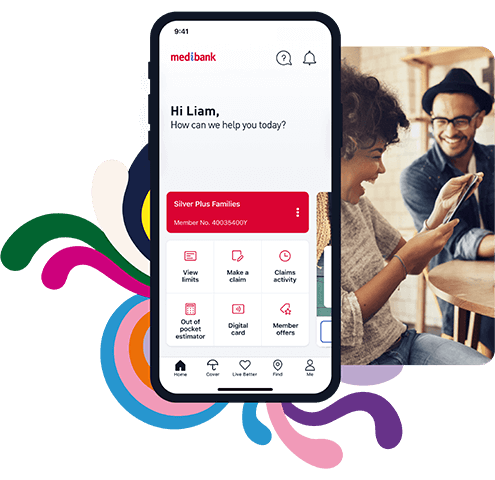
My Medibank app
Your My Medibank app makes it easy to check your cover details, keep on top of your extras limits, find a provider and more. Download the My Medibank app today.*